From Spreadsheets to Success: Organizing Your Client Base
See how centralized client management helps personal trainers replace scattered tools, save weekly admin time, and deliver more consistent coaching.
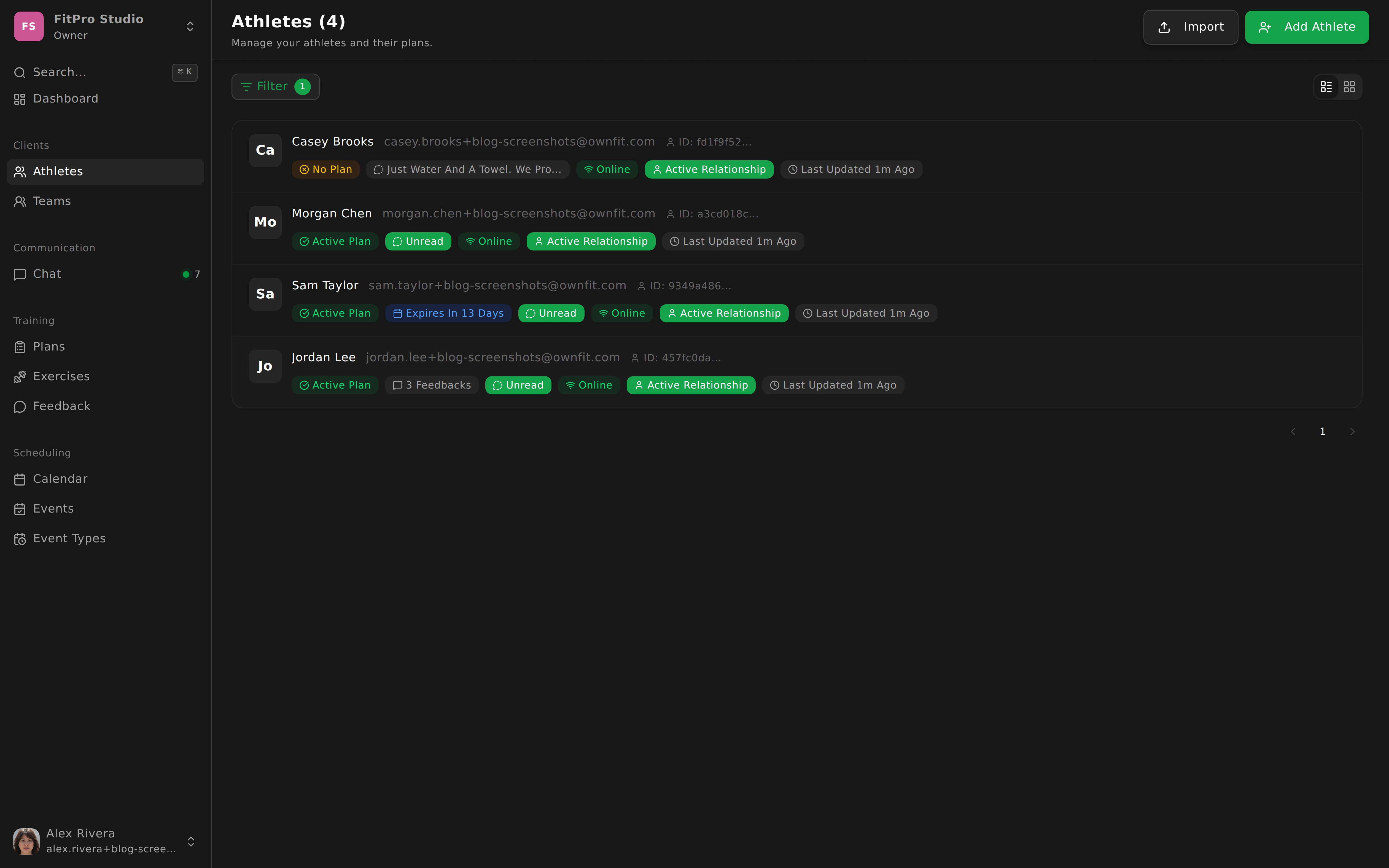
From Spreadsheets to Centralized Client Management
In the beginning, most coaching businesses run on improvisation. A spreadsheet tracks sessions, notes live in a phone app, payment status sits in another file, and messages are scattered across personal chats.
At low volume, this seems fine. As soon as your roster grows, it starts breaking daily.
The Hidden Tax of Disorganization
The biggest cost is not one dramatic mistake. It is the constant micro-delay in every routine action.
You spend two minutes searching for injury notes before a session. Three minutes checking package balance. Five minutes reconstructing what happened last week.
Those minutes multiply across clients and days until admin drains the energy you should spend coaching.
Why Centralization Changes the Entire Workflow
A centralized client profile means all essential information is linked in one place: contact details, training history, health notes, messages, and progress context.
When everything is connected, session prep becomes predictable. You stop switching tools and start working from a complete picture.
This does not just make you faster. It helps you coach better because you can personalize decisions with confidence instead of relying on memory.
Better Preparation Leads to Better Sessions
Clients feel the difference immediately when you walk into a session already aware of recent feedback, limitations, and priorities.
You ask sharper questions. You make better exercise choices. You avoid repeating things the client already told you.
Preparation quality becomes part of your service quality.
Team-Based Coaching Needs Role Clarity
Many clients are supported by multiple professionals: trainer, physiotherapist, nutritionist, sport coach. Without a central system, collaboration becomes fragmented and risky.
With role-based access and shared context, each professional can see what is relevant while respecting boundaries. That improves continuity for the client and reduces duplicate work across the team.
Simple Management Rules That Scale
Even the best system needs discipline. Update profiles as soon as goals or limitations change. Use consistent tags for segmentation. Review key notes before each appointment. Archive inactive clients instead of deleting history. Keep communication in one professional channel whenever possible.
These habits keep the database useful as you grow.
Less Admin, More Coaching Capacity
Centralized client management is not about being “organized” for its own sake. It is about reclaiming focus.
When information is easy to find and always in context, you make better decisions, reduce stress, and create a smoother experience for every client.
What works with five clients can finally work with fifty.